Showing posts with label Tutorial. Show all posts

12/12/25

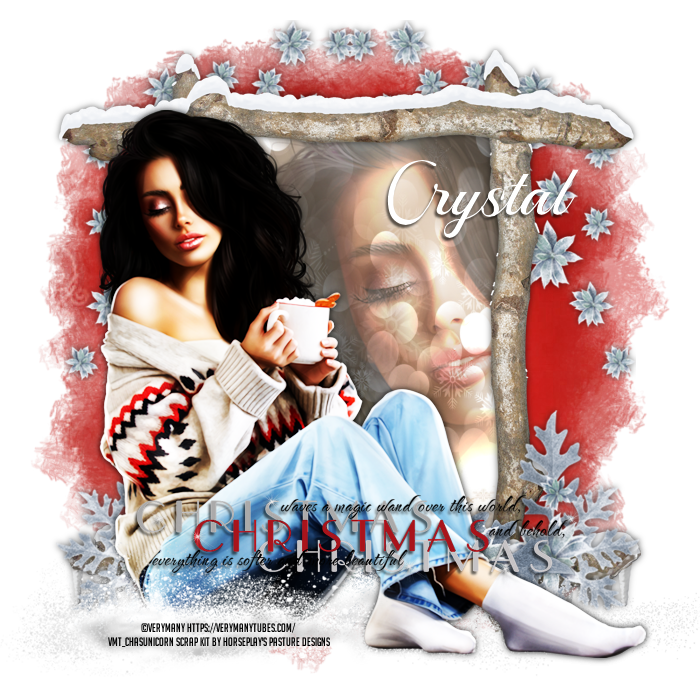
Tutorial~ Northern Exposure


Brand new tutorial AI Free

Thank you Horseplay's Pasture for the gorgeous simple winter kit.

Tube by VeryMany

Hope you all enjoy this quick and easy tutorial 

HERE

11/12/25

Tutorial~ Trip to Grandmas


Hello all my peekers!
So with the discovery of all 450 of my old tutorials, 
I decided to write a NEW one using Wicked Princess Scraps 
Trip to Grandmas Kit.

Please feel free to check it out
HERE

This is what the design looks like:


I also made a Timeline Snag:


I also made the tag line into a freebie too...


9/25/25

CT Tag for Rebecca Sinz with bonus

 Good Evening Y'all! I hope you all are doing well. 

Tonight I am here to show off a new design featuring Rebecca Sinz' tube 

called Séance HERE.

I paired this tube with a Tiny Turtle Designs Scrap Kit called Green Magic HERE

Along with this new design I mapped out an 

informational tutorial for anyone 

who wants to Create and or Use a name script. 

I do hope this is helpful to someone.

This will be a new section for my blog so stay tuned for other how to

when I find something interesting in PSP2023.


Written by Crystal (Sweets)

September 25, 2025

What you will need:

PSP2023 or any version of PS & PSP

An Image or design that is needing a name added to 

Any Font

Creating the name script:

1. Open/Create an image you can add wording to, 

I am using my newest design for Rebecca Sinz CT.

2. Using the text tool… chose your font, size and color, 

I am using the font Alive, White, and 48 size


3. Be sure you have enabled the scripts tool (View - Toolbars - Click on Script). 

While using the text tool… click the red circle to start recording, 

this will start recording all the actions you do until you cancel or save the script. 


4. Add the text you want, convert to Raster (picture a), 

picture a

at this moment you can align your text by using 

Objects - Align (picture b) if you need to or just add drop shadow


5. Once you have done what you wanted to do with the name, 

in the Script tool you will see a blue save disk, 


This will be lit up after you have added the wording

Click and type in the name of the design so you can find it later. 

(I normally use a * or ~ at the beginning of 

each script, so i can find them easier 

as they will show first in the list)


Duplicate your image and save as 
(if you are like me, you like to save a 
copy for your own collection to use later)

Now delete that layer you just made on your design...
now its time to learn how to use your new script.


Using your New Script:

With the script saved, you can easily add different names 

to the script and it will automatically place the name in the font, 

size and color, and then into the same place you recorded it on your design.

Now lets take the script out for a test run...

7. In the drop down box of the script tool, 


find the script you just saved, click on the Edit Selected Script 

button of the script tool (3rd Symbol with the pencil on it), 


Then a pop up will appear, Click on the text editor


this will open a text file on the notepad with a bunch of code… 

scroll down until you come across a section with your name in it, 


Highlight your name in between the ‘ ‘ , change the name and then CTRL + S

to save the change. Don't change anything else. 


**Leave the script open in the background, so you can go 

back and run the script with a different name again if you have a few people

then in the script tool, 

press the play button (1st symbol) this runs the script 


onto the design you have open… 

Duplicate & Save, 

then CTRL + Z to quickly undo what you just did 

Repeat if you have other people you want to gift out to.


Congrats to you all! 


Y'all just made and used your own name script... 

no more trying to remember what you

used as the font, color, placement etc.


I will be back with how to find and 

clean up your script folder at a later date.


8/25/15

CT Tutorial: Romantic Summer Night

Brand New Tutorial featuring a New Tube by Ishika Chowdhury
This tube comes in various layers containing different dresses.

you can find this tutorial HERE

8/7/15

CT Tutorial: Don't Need To Be Naked

Brand New Tutorial featuring the Art of Queen Uriel
and an awesome scrap kit by Honored Scraps called Rock On!

You can find this tutorial HERE

8/6/15

CT Tutorial: Drowning In The Darkness

Brand New Tutorial featuring the Art of Queen Uriel
and a new Scrap Kit by Honored Scraps called Dark Times.

You can find this tutorial HERE

7/17/15

6/11/15

CT Tutorial: Morning Fairy

Brand New Tutorial featuring the art of Ed Hicks
and a gorgeous Kit called Subtle Hues by Ladyhawwk Designs

You can find this tutorial HERE

6/9/15

CT Tutorial: Love N Hope (FTU)

Brand New Tutorial featuring the art of Todd Borenstein
and a gorgeous kit from Jaelop Designs

You can find this tutorial HERE

6/5/15

CT Tutorial: Lonely

Brand New Tutorial featuring the art of Robin McQuay
with a dark emotional kit called Betrayed by Honor Scraps.

You can find this tutorial HERE

6/3/15

CT Tutorial: Spring

Brand New Tutorial featuring the art of Tezza's Dezignz
and Beautiful Blooms Scrap Kit by Ladyhawwk Designs

you can find this tutorial HERE

CT Tutorial: Platinum Club (FTU)

Brand New Tutorial featuring the art of Danny Kojima

You can find this tutorial HERE

6/1/15

CT Tutorial: Purple Goddess

Brand New CT Tutorial featuring Alena Larazeva 2-1 IB Kit
by Honored Scraps

You can find this tutorial HERE

5/31/15

CT Tutorial: Sweet Treats

Brand new tutorial featuring the art of Tan Doll
This tutorial is filled with too sweet elements from a kit by Just So Scrappy

you can find this tutorial HERE

5/25/15

CT Tutorial: America The Beautiful

Brand New Tutorial featuring the art of CheriLyn Shull
and the USA Country Collab 2015 Kit by Honored Scraps

You can find this tutorial HERE

CT Tutorial: Kansas

Brand New Tutorial featuring the art of Karen Ann Brady
and an exclusive Kit from ACDivas

you can find this tutorial HERE

5/23/15

CT Tutorial: Frost Fairy (PTU)

Brand New Tutorial Featuring the art of Tori Bevridge
and an Icy kit named Ice Princess by Abstract Creations

you can find the tutorial HERE

5/19/15

CT Tutorial: No One Watching

Brand New Tutorial featuring the art of Ty Wilson
I have really fallen in love with his tubes, kind of a 1920 Art Deco style

You can find this tutorial HERE